Transactions Detail
The Transactions Detail report to view a list of the items and settlements made to guest accounts. As a property manager, user can reference the original account invoices to analyze accounts receivable.
Perform the following steps to generate the report:
Navigate to Reports ➜ All Reports ➜ Transactions Detail (under Accounting).
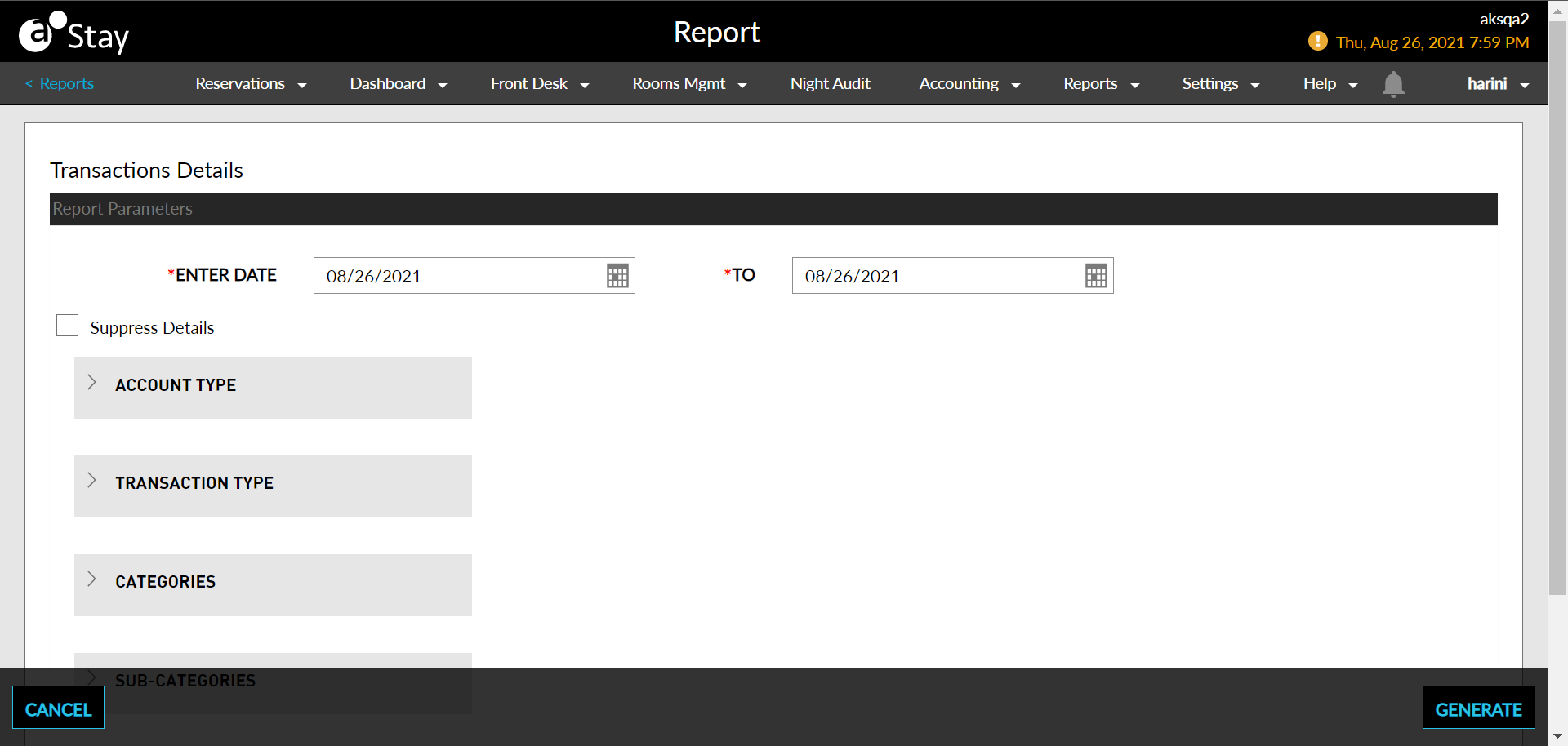
Select a date from the calendar to generate dates for the report.
Select Suppress Details checkbox to limit the details in the generated report.
Choose which Account Type field to include in the report.
Choose which Transaction Type field to include in the report.
Choose which Categories field to include in the report.
Choose which Sub-Categories field to include in the report.
Click Generate. The report with the selected data appears.
Click Print to send a copy of the report to the printer.
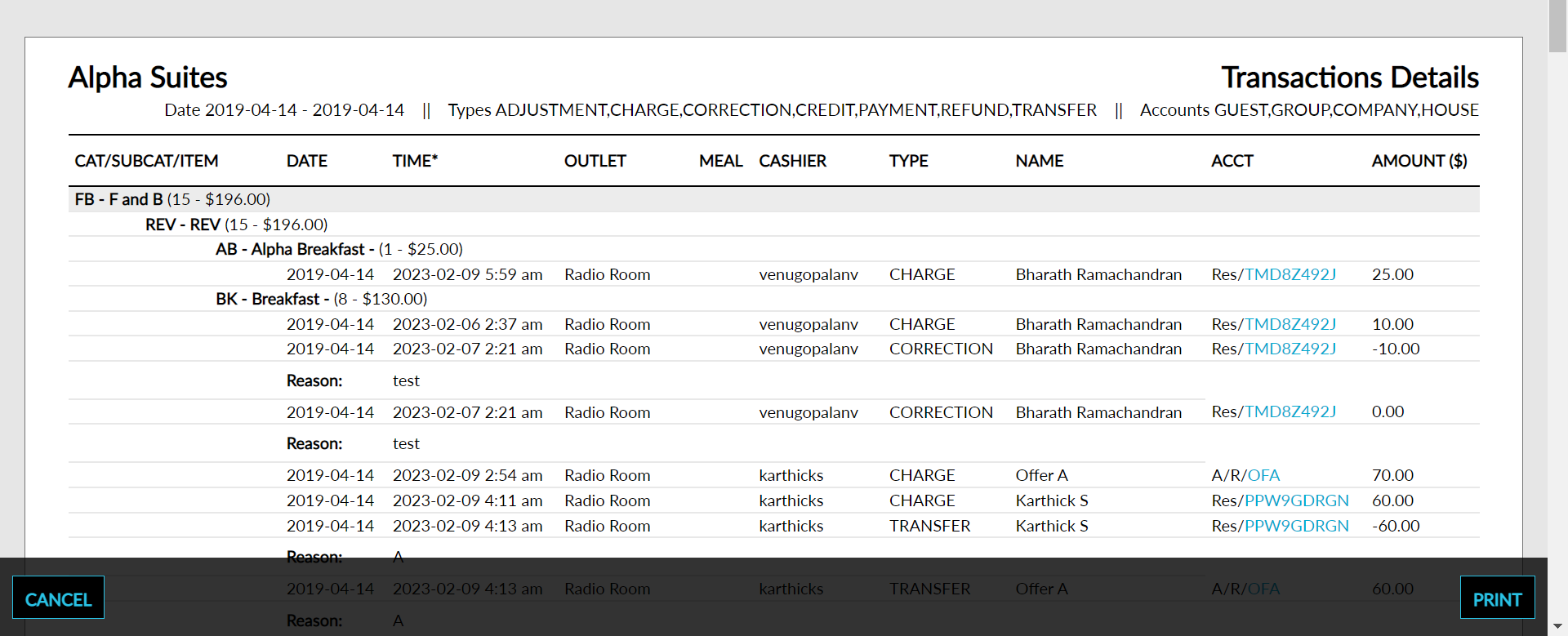
Sample Report
Report Parameters
This report displays the following parameters:
|
Field |
Description |
|---|---|
|
Category/Subcategory/Item |
|
|
Date |
The date the transaction was made. |
|
Time* |
The time the transaction was made. |
|
Outlet |
The outlet from which the transaction was made. |
|
Meal |
The meal type for which the transaction was made. |
|
Cashier |
The sum of all postings identified as revenue on the selected date. |
|
Type |
The type of transaction done. For example, if it was a charge, adjustment or transfer. |
|
Name |
The name of the reservation for which the transaction was made. |
|
Acct |
The type of account to which the charge was made. |
|
Amount |
The sum of all postings identified as revenue on the selected date. |